
Skip to content
Saksi

Supported apps

Saksi works with the notifications your apps show on Android. WhatsApp and Telegram get extra handling for edits and disappearing messages. Every other app is saved as it appears.

Three kinds of support

Extra handling

WhatsApp

Saksi saves WhatsApp message notifications. In one to one chats it can show when a message was edited. It marks a message Deleted only when WhatsApp's own notification says so. If a message just disappears from the notification, Saksi marks it as a possible deletion, which is uncertain.

  • WhatsApp Business and WhatsApp groups use the same handling, but have not had their own test run.
  • Deletion notices are recognized in English and Indonesian today. In other languages a deletion shows as a possible deletion at most.
  • Photos, voice notes and documents are usually kept as a caption and file reference.
Extra handling

Telegram

Saksi saves Telegram notifications from chats, groups and channels. The two behave differently.

One to one chats

Proven edits are marked Message edited, and a message that disappears from the notification is labelled as a possible deletion.

Groups and channels

New posts are saved. Changes are shown as Updated, and Saksi does not guess at deletions, because channels rotate old posts out of their notifications all the time.

Standard capture

Any app that shows notifications

Email, calendar, delivery, banking, shopping and other apps: Saksi saves the title and text each notification shows. Edit and deletion labels are designed for WhatsApp and Telegram. Some other messaging apps can show a Message edited badge for a change Saksi cannot confirm.

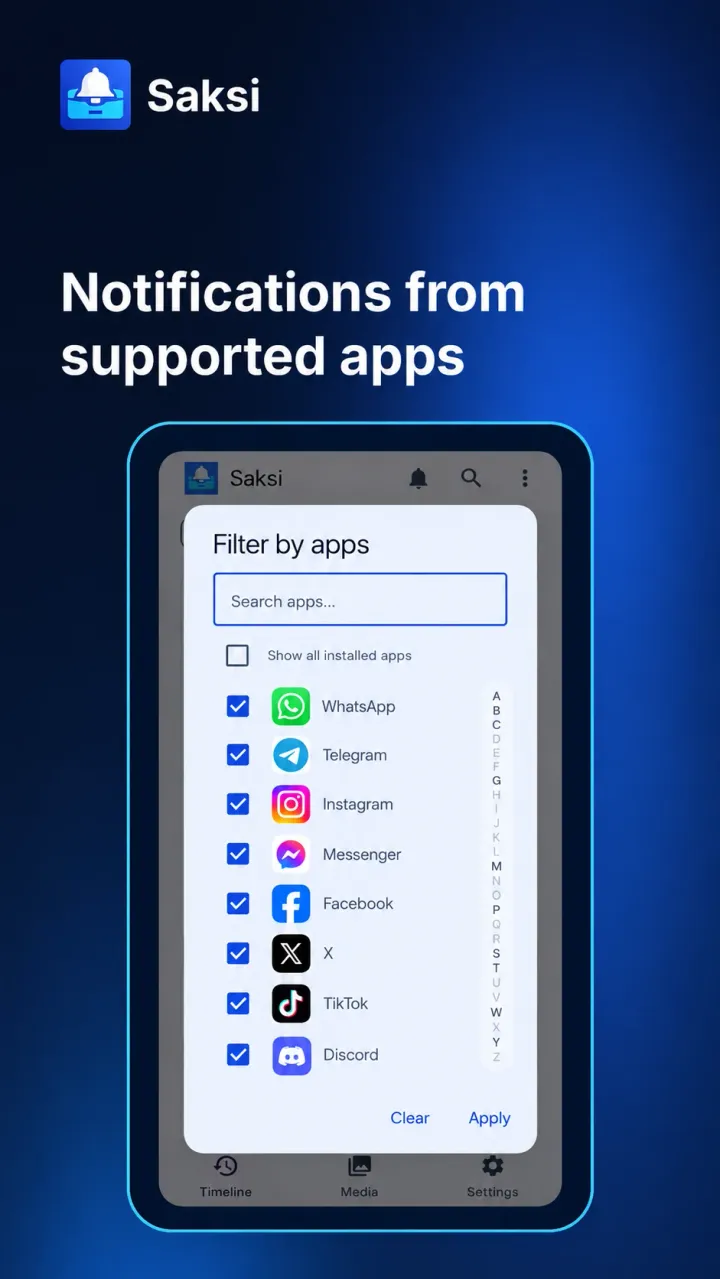
  • Every app is included by default. Exclude any app in Settings, Capture & Apps, App Filter. Saksi never saves its own notifications.
  • Some apps hide their text in notifications, for example one-time codes on newer Android versions. Saksi then shows Content unavailable.

Capability by app

What Saksi can show for each source. It always depends on what the app puts in its notification.

What Saksi saves and labels for each kind of app
SourceTextEditsDeletion noticePossible deletionPhotos and files
WhatsApp one to one chatsSavedMessage edited, when the notification proves itDeleted, when WhatsApp shows its own notice in English or IndonesianLabelled as possible, never as certainSometimes. Often only the file name or type
Telegram one to one chatsSavedMessage edited, when the notification proves itNot available. Telegram shows no notice Saksi can useLabelled as possible, never as certainSometimes. Often only the file name or type
Telegram groups and channelsSavedShown as UpdatedNot availableNot guessed, to avoid false alarmsSometimes. Often only the file name or type
Any other app you allowSavedNot provenNot supportedNot trackedOnly when Android exposes a readable file

What the labels mean

These are the labels you see in the app. The border style shows how sure Saksi is: filled means Saksi saw it, a solid outline means the app said so, dashed means not confirmed, dotted means not available.

New
The first time Saksi saw this message.
Message edited
In WhatsApp and Telegram one to one chats, the notification showed clear proof of an edit. In some other messaging apps the same badge can appear for an unconfirmed change.
Caption edited
A proven edit to the text on a photo or video, in WhatsApp or Telegram one to one chats.
Updated
The notification changed, but Saksi cannot prove it was an edit.
Deleted
The app's own notification said the message was deleted. Today Saksi recognizes this notice from WhatsApp, in English and Indonesian. Saksi kept what it saw before.
Possible deletion (unconfirmed)
The message is no longer in the notification. This often means it was deleted, but it is not confirmed.
Dismissed
You swiped the notification away. This is not a deletion.
Cleared
The app or Android removed the notification. This is not a deletion.

The one rule for every app

Saksi saves what Android shows in notifications after you allow Notification Access. If a message never appears as a notification, Saksi cannot see it. Open or muted chats often do not create one.

Saksi is not affiliated with WhatsApp or Telegram. App names are used only to describe compatibility.

Illustration of the Saksi Filter by apps dialog, with a search box and a checked list of messaging and social apps.
IllustrationNotifications from supported appsEvery app is included by default. Filter your Timeline by app, or exclude the apps you do not want saved in App Filter.

One history for every app you choose

Saksi is coming to Google Play. Free to use, no account needed, and your notification archive stays on your phone.